AMD Adrenalin 26.10.1 expands FSR Upscaling 4.1 support to Radeon RX 6000 graphics and selected Ryzen AI families, but its compatibility list does not make the package the right update for every computer. The official October 20 notes retain specific recommendations for laptops and exclude support for handheld gaming devices.
FSR 4.1: feature support and driver compatibility are different
AMD lists Radeon RX 6000, Ryzen AI Max 300 and Max 400, and Ryzen AI 9 300 and AI 9 400 as recipients of expanded FSR Upscaling 4.1 support. That list is more specific than the set of GPUs on which the driver can be installed.
A card being compatible with Adrenalin does not mean it receives every feature. That distinction matters when reading developments such as FSR’s expansion to AMD APUs: the exact family must be checked, rather than relying on the Ryzen or Radeon name alone. These notes are not a benchmark and do not prove a frame-rate gain in every game.
On laptops, AMD still refers users to the manufacturer
The company describes the mobile package as a reference driver with limited support for system-vendor-specific features. For laptops and all-in-one PCs, it recommends OEM drivers, customized and validated for their features and optimizations.
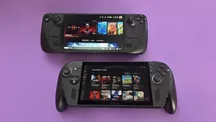
The notes also state that Adrenalin does not include support for handheld gaming devices and refer users to their manufacturers for device-specific drivers. A Windows gaming handheld should not be treated as a desktop PC simply because both use Radeon graphics.
War Thunder and Smart Access Memory need attention
Known issues include possible intermittent driver timeouts in War Thunder on Radeon RX 5000 graphics. AMD recommends Adrenalin 26.9.1 for users experiencing this problem. That guidance is limited to this combination and affected users, not a general recommendation to downgrade.
Another warning says Smart Access Memory may become disabled after installing the driver on Windows 10. It is worth checking that state rather than assuming all previous settings have been preserved.
The update decision therefore depends on the device and games used. Before installing, the useful checks are the specific GPU, the new features needed and the known issues; on a laptop or gaming handheld, the manufacturer’s support channel matters too.