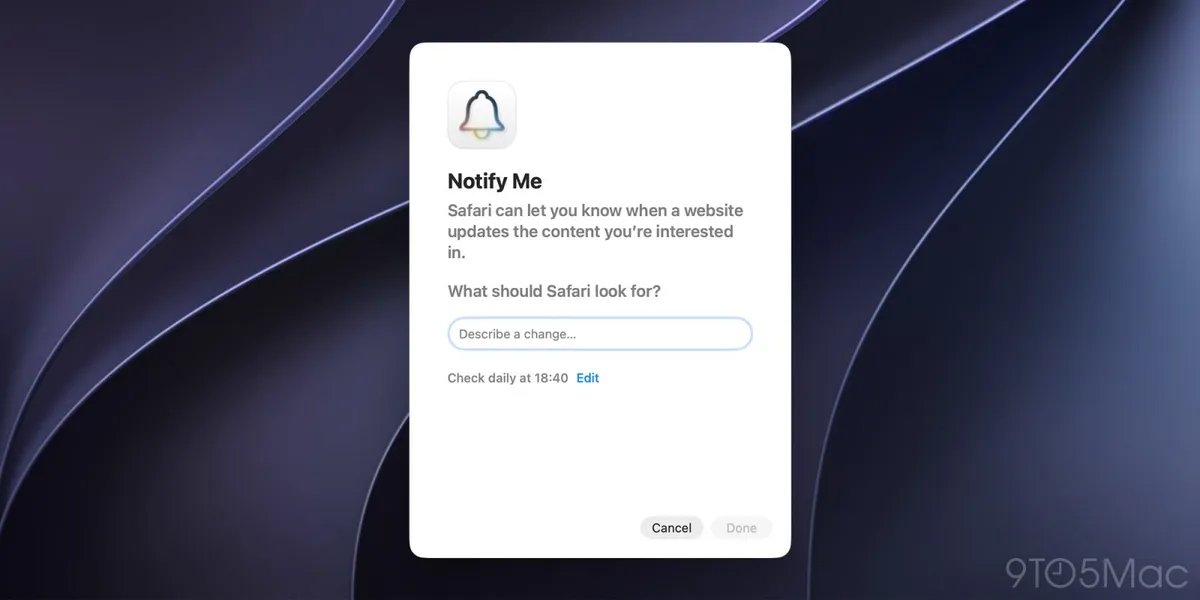
Safari in macOS 27 Golden Gate ships a feature called Notify Me, which lets you ask the browser to watch a web page and alert you when it detects a change. This guide is for any Mac user who follows a page without wanting to reload it by hand: a price drop, an item coming back on sale, a change in a service’s terms, or the opening of registrations.
Notify Me is one of Apple Intelligence’s arrivals in macOS 27: the model interprets the description of what you want to watch and analyses the page’s contents to determine whether it can handle the request.
Prerequisites
- A Mac running macOS 27 Golden Gate.
- Safari as your browser.
- Apple Intelligence available in the device’s language and region. Because the feature depends on that technology, it may not appear in every environment (see Limitations).
Steps to set up Notify Me in Safari
- Open Safari and go to the web page you want to keep an eye on.
- Click the page menu button (
Page menu), located to the right of the Smart Search field (Smart Search field). - Select
Notify Mefrom the pop-up menu.
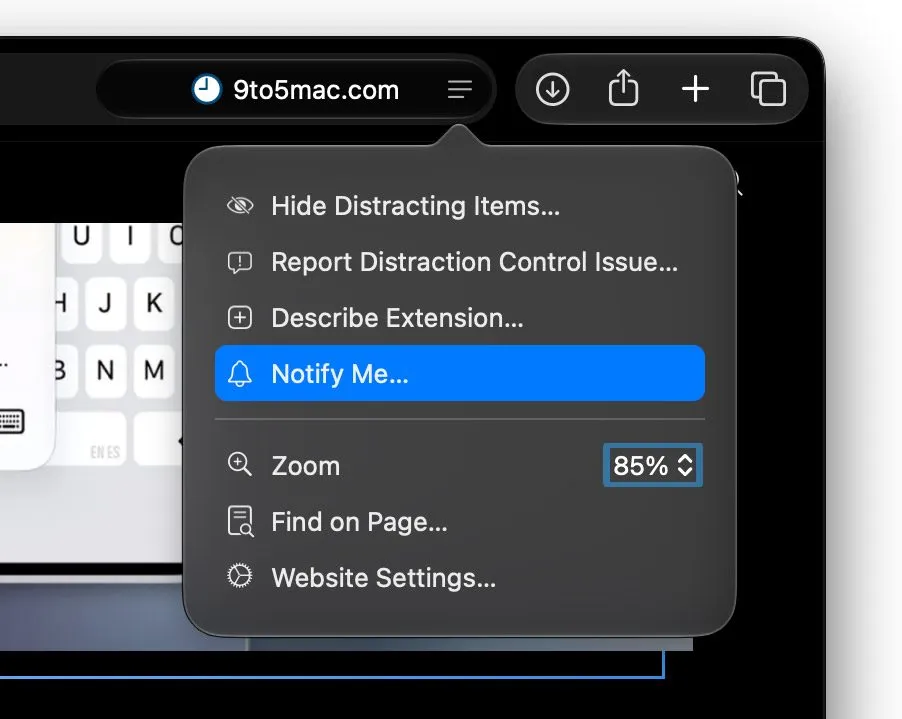
- In the
What should Safari look for?field, describe what you want detected. Apple Intelligence then analyses the page’s contents to decide whether it can act on your request. - Optionally, set how often and when Safari should check for changes. The
HourlyandDailyoptions let you pick a specific time, whileWeeklyandMonthlyalso let you choose specific days of the week or month.
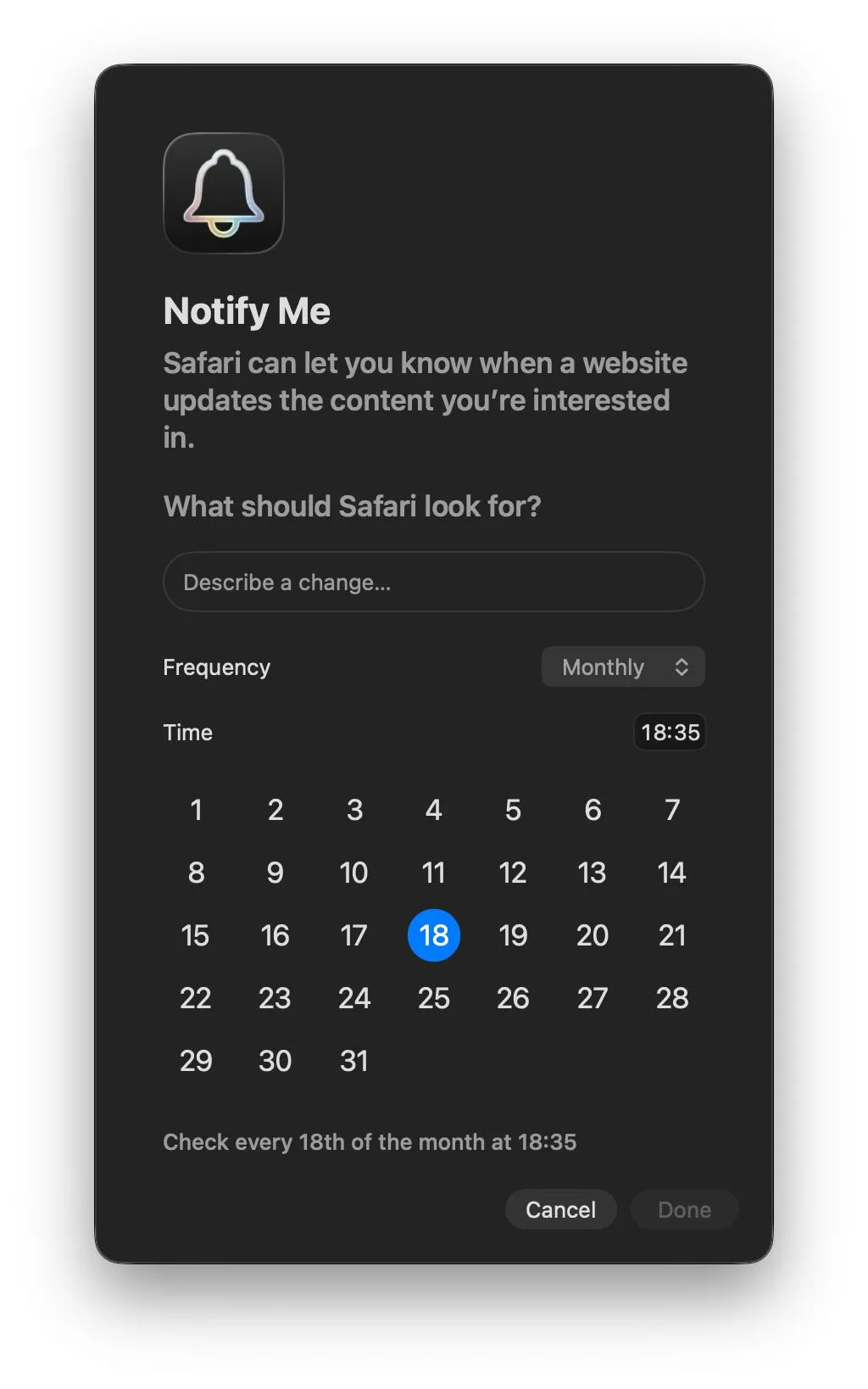
- Click
Done. Alternatively, Safari may show aNextbutton; in that case, macOS will ask for permission to send Safari notifications. Notification permissions are managed fromSettings > Notifications > Safari.
What changes it can detect
Once the alert is set up, Safari checks the page on the schedule you chose and notifies you when it finds the requested change. Situations it can cover include:
- A price drop.
- An item coming back on sale.
- Changes to a site’s policies.
- The opening of registrations or sign-ups.
- New information added to the page.
How to verify the alert works
After saving the settings, check two things. First, that macOS has granted Safari
permission to send notifications: Settings > Notifications > Safari is where you can
review and change that permission. Second, that the check runs at the frequency you
chose: when Safari detects the change, the corresponding notification will appear on
your Mac.
Limitations
- The feature depends on Apple Intelligence, so it may not be available in all languages and regions. Apple keeps an updated availability list in its Safari documentation on page change alerts.
- Notify Me runs on Apple Intelligence: if you are looking for how to control that technology on your iPhone, we have a guide to limiting or disabling Apple Intelligence in iOS 27.
- The feature is configured page by page: the alert you create applies to the site you picked in the first step.